Increase the entered amount by 20%
Amount before GST (₹): ₹10,000 → ₹12,000
Taxable value₹10,000₹12,000
TAX & SALARY · FREE TOOL
Work out GST on a price or split tax from an inclusive amount. Adjust the assumptions and see how the result changes.
Interactive tool
Change the inputs to compare scenarios. Your values stay in this browser.
The equal CGST/SGST split is illustrative for an intra-state supply; it does not determine the correct tax treatment.
QUICK TAKEAWAY
This is a result from the assumptions currently entered. Compare a few alternatives below before drawing conclusions.
BASED ON YOUR INPUTS
With these inputs, taxable value is ₹10,000.
For context, gst amount is ₹1,800.
Increase the entered amount by 20% changes taxable value from ₹10,000 to ₹12,000 in this model.
Model note: The equal CGST/SGST split is illustrative for an intra-state supply; it does not determine the correct tax treatment.
TRY A DIFFERENT ASSUMPTION
Each card recalculates from the inputs above.
Amount before GST (₹): ₹10,000 → ₹12,000
GST rate (%): 18% → 20%
Calculations run locally. Browser activity remembers calculator visits and quiz scores only—not financial inputs or results. Share links include values only when you choose to share them.
PaisaCalc guide · India

This GST calculator is a quick arithmetic tool for an Indian quoted price. Enter an amount, choose the confirmed percentage, and select exclusive (before GST) or inclusive (GST already inside the total). It estimates the taxable value, GST, and resulting amount in Indian rupees.
Exclusive mode adds tax to the base; inclusive mode backs tax out of the gross figure. The CGST and SGST display is an illustrative equal split for an intra-State example. It does not decide classification, place of supply, exemption, registration, input-tax-credit eligibility, or the legally applicable rate. Use the result as an estimate; the contract, tax invoice, current notifications, and qualified advice remain authoritative.
A price written as ₹10,000 can mean ₹10,000 before tax or ₹10,000 payable in total. Separating base and tax helps an Indian shopper compare quotations, helps a freelancer explain a bill, and helps a small business budget cash without confusing revenue with the customer’s final payment.
The distinction also catches an invoice arithmetic error, such as treating an inclusive total as a pre-tax amount. GST treatment is not determined by arithmetic alone: goods or services, exemptions, supplier and recipient circumstances, and location rules can matter. This page therefore supports calculation, not a legal rate decision.
Enter the relevant amount in rupees. In exclusive mode it is the taxable value before GST; in inclusive mode it is the gross amount payable. Enter the percentage already confirmed for the particular supply—the calculator does not look up or validate that rate.
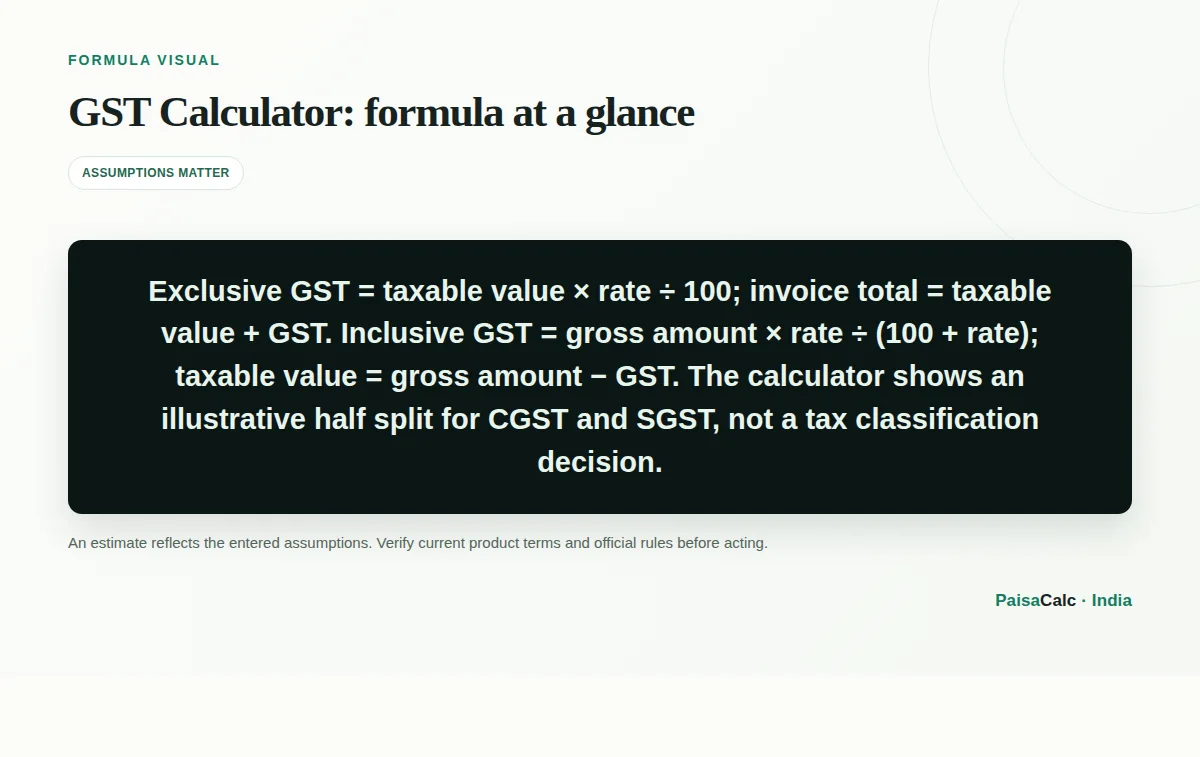
Exclusive mode multiplies the base by rate ÷ 100 and adds the tax. Inclusive mode divides the gross amount by one plus the rate as a decimal to recover the base. The split view illustrates half as CGST and half as SGST for a local example; an inter-State supply is generally represented by IGST, which this tool does not determine.
For an exclusive price, GST = taxable value × rate ÷ 100 and invoice total = taxable value + GST. With a ₹10,000 base and an illustrative 18% input, tax is ₹1,800 and total is ₹11,800. The 18% figure is an example, not a universal GST rate.
For an inclusive price, embedded GST = gross amount × rate ÷ (100 + rate), and taxable value = gross amount − GST. At ₹11,800 and 18%, tax is ₹1,800 and the base is ₹10,000. For an illustrative intra-State split, each of CGST and SGST is half the total; rounding and legal classification still require review.
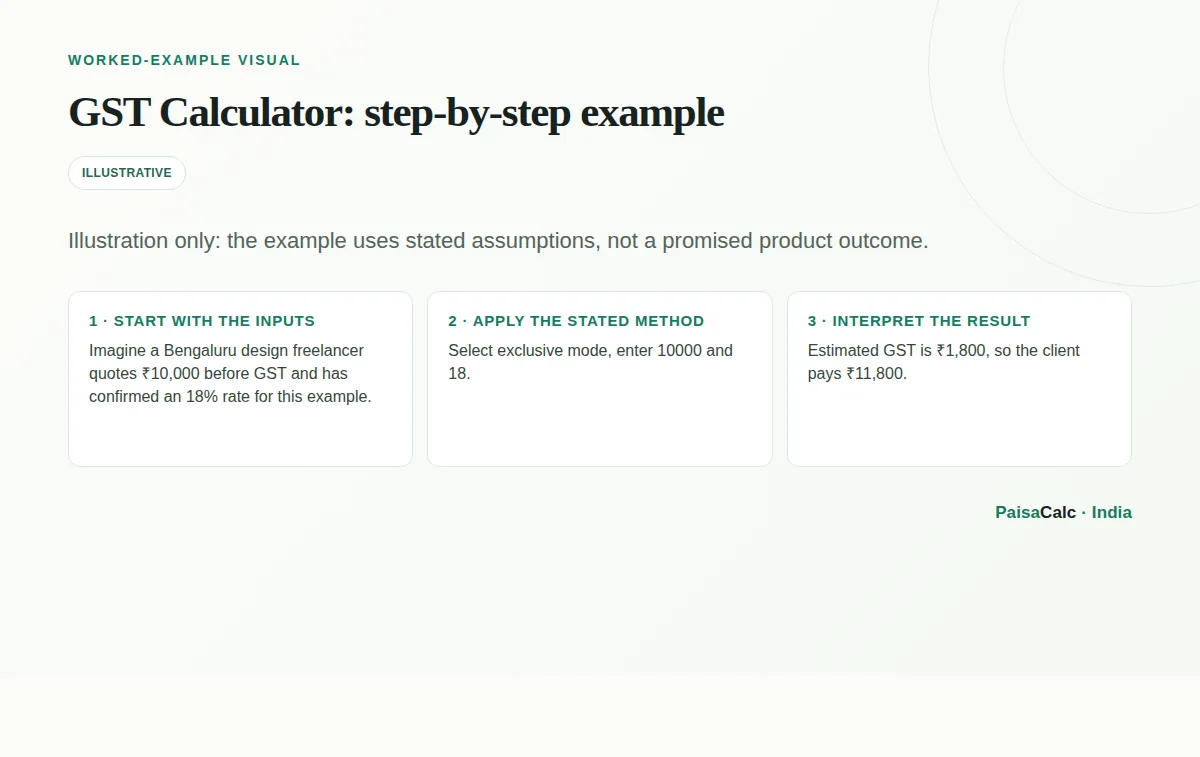
Imagine a Bengaluru design freelancer quotes ₹10,000 before GST and has confirmed an 18% rate for this example. Select exclusive mode, enter 10000 and 18. Estimated GST is ₹1,800, so the client pays ₹11,800. A local-supply illustration could show ₹900 CGST plus ₹900 SGST.
If ₹11,800 is instead a tax-inclusive quote, select inclusive mode with the same example rate. The calculator extracts ₹1,800 tax and ₹10,000 value. Before billing, check discounts, delivery or other charges, customer and supplier locations, the transaction-date rate, and the invoice details. Keep this result as a working note, not the invoice itself.
A consumer comparing an online price can estimate the base inside a tax-inclusive total. For example, ₹5,900 at an illustrative 18% contains ₹900 GST and ₹5,000 base. A consultant, tutor, designer, or repair business can turn a pre-tax fee into a customer-facing estimate after confirming the applicable rate.
An accounts assistant can sanity-check a supplier bill or explain why an inclusive amount is not the same as applying the percentage to the gross total. For cross-State sales, imports, exports, composition arrangements, reverse charge, exempt supplies, or special schemes, use this only for rough arithmetic and obtain transaction-specific guidance.
The main benefit is clarity: one result separates taxable value, tax, and final amount. That makes an Indian quotation easier to discuss and reduces confusion over “plus GST” versus “including GST”. It also provides a quick check before figures are entered into accounting or invoice software.
Inclusive mode helps with retail and marketplace prices by estimating the tax component of an all-in amount. Recording the input type, rate source, date, and intended tax type beside the result creates a better working trail than keeping one unexplained total. It does not replace return preparation, ledger reconciliation, or professional review.
The most frequent error is applying a remembered percentage without checking classification and current rules. Another is using exclusive mode for an amount that already includes GST. If ₹11,800 is inclusive at 18%, multiplying by 18% gives ₹2,124 and overstates tax; the reverse formula gives ₹1,800. Also avoid entering 0.18 when the field expects 18.
Do not infer that an equal CGST/SGST split applies to every invoice. IGST may apply to an inter-State supply, while exemptions, reverse charge, composition, place-of-supply rules, and other facts can change treatment. The estimate is not proof of input tax credit or filing compliance.
In a household or business budget, keep the pre-tax price and expected tax on separate lines. A buyer with ₹11,800 available can compare that limit with an inclusive total; a business quoting ₹10,000 plus GST should reserve the tax component and communicate the final amount clearly.
For recurring bills, note the calculation date, rate source, exclusive or inclusive basis, and whether an intra-State split was assumed. Recheck when a product, service, contract, or rule changes. Use rounded numbers for planning only; actual invoices should follow the invoicing system’s precision and rounding, with unusual or material transactions reviewed.
The difference between adding and removing GST is a percentage-base issue. If base is B and rate is r, an exclusive total is B(1+r/100); recovering B requires division by 1+r/100. Therefore an inclusive total’s tax share is r/(100+r), not r/100. This helps check marketplace pricing and all-in quotes.
An illustrative 18% intra-State total can be shown as 9% CGST plus 9% SGST, while an inter-State illustration uses 18% IGST. These are equivalent arithmetic totals, not interchangeable legal labels. Compare the result with the contract, discounts, charges, invoice, classification, exemption, and place-of-supply facts before relying on it.
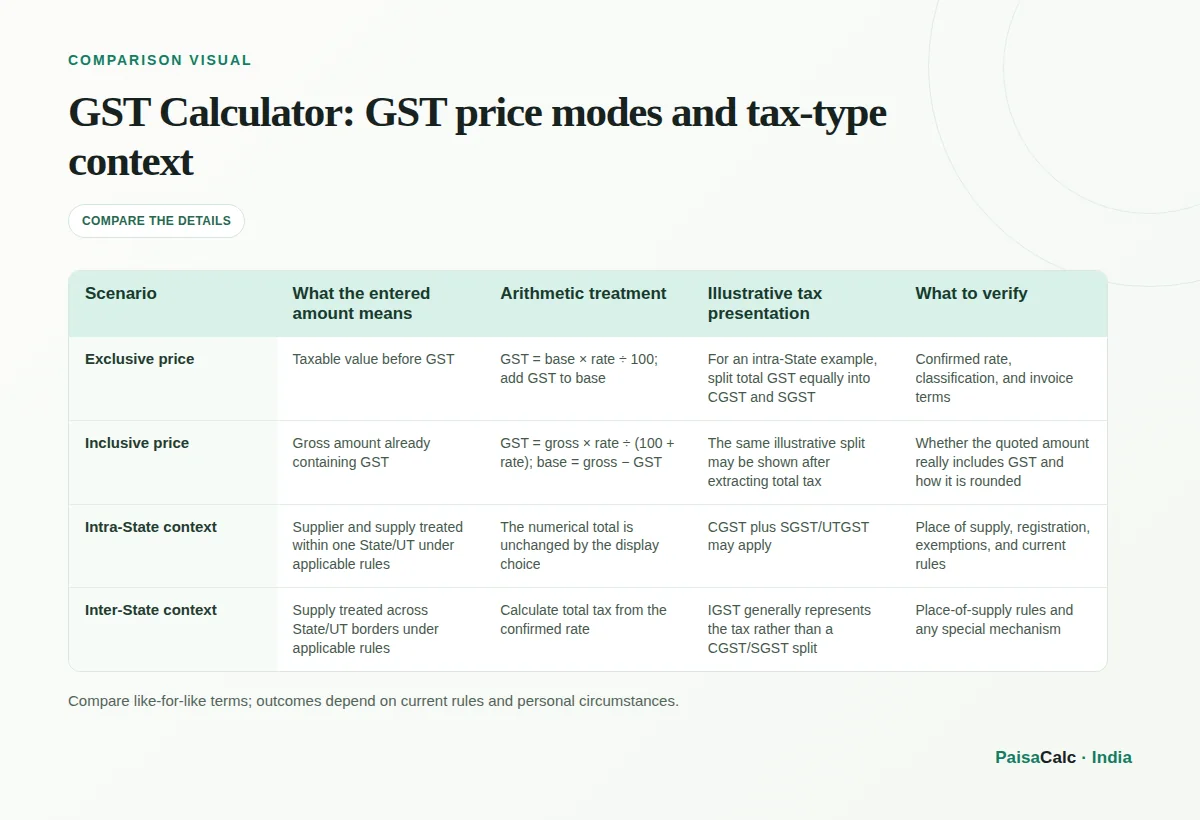
| Scenario | What the entered amount means | Arithmetic treatment | Illustrative tax presentation | What to verify |
|---|---|---|---|---|
| Exclusive price | Taxable value before GST | GST = base × rate ÷ 100; add GST to base | For an intra-State example, split total GST equally into CGST and SGST | Confirmed rate, classification, and invoice terms |
| Inclusive price | Gross amount already containing GST | GST = gross × rate ÷ (100 + rate); base = gross − GST | The same illustrative split may be shown after extracting total tax | Whether the quoted amount really includes GST and how it is rounded |
| Intra-State context | Supplier and supply treated within one State/UT under applicable rules | The numerical total is unchanged by the display choice | CGST plus SGST/UTGST may apply | Place of supply, registration, exemptions, and current rules |
| Inter-State context | Supply treated across State/UT borders under applicable rules | Calculate total tax from the confirmed rate | IGST generally represents the tax rather than a CGST/SGST split | Place-of-supply rules and any special mechanism |
Enter the pre-tax amount in exclusive mode, enter the confirmed applicable percentage, and submit. GST is calculated on the base and added to it to show the estimated total.
Choose inclusive mode and enter the amount already payable. The calculator extracts tax as gross amount × rate ÷ (100 + rate), then subtracts it to show the estimated taxable value.
For an illustrative exclusive price, GST is ₹1,800 and the total is ₹11,800. If ₹10,000 is inclusive instead, the embedded tax is ₹1,525.42 and the base is about ₹8,474.58.
For an illustrative intra-State calculation, the total can be shown as equal CGST and SGST portions. An inter-State supply generally uses IGST; this calculator does not determine the place of supply.
No. Rates depend on the goods or service, classification, exemptions, and current law. Confirm the rate through an authoritative government source or a qualified tax professional before invoicing.
No. It is a quick arithmetic estimator, not return-preparation or compliance software. Validate invoices, tax type, input tax credit, reporting, and records separately.
Exclusive means the entered amount is before GST and tax is added. Inclusive means the entered amount already contains GST, so the tax portion must be backed out using the reverse formula.
A freelancer can use it to estimate a fee plus a confirmed GST rate or unpack an all-in quote. Registration, invoicing, exemptions, and the applicable rate still require separate verification.
It only calculates from the amount you enter. Determine how discounts, freight, packing, reimbursements, and other charges form the taxable value before entering the correct amount.
The equal split assumes a local intra-State example. The calculator does not assess place of supply, so an invoice may instead require IGST or a different treatment under the transaction’s facts.
Use primary and provider references to verify current rules, rates, and product terms.
GST is a destination-based tax on consumption; CBIC describes SGST and IGST and explains that rates are notified on GST Council recommendations.
Rates are supply-specific and must be checked against current official rate notifications rather than assumed from a calculator example.
The official FAQ explains the dual GST structure, CGST and SGST for intra-State supplies, and IGST for inter-State supplies; this supports the page's contextual cautions.
TAKE A 30-SECOND BREAK
Three questions to help the key ideas stick.